
Name the goal. Press Teach me.
The lesson you need, built for your goal.
Pick a topic, a term or a whole year, set the levels, and get a plan built from Notebook lessons.
Builds a tailored, Notebook-style lesson for a learner’s goal, chosen concepts and the time they have.
EdDots Study Builder

The personal AI lesson creator
From a goal to a session.
Build it, read the plan, then work through each session.
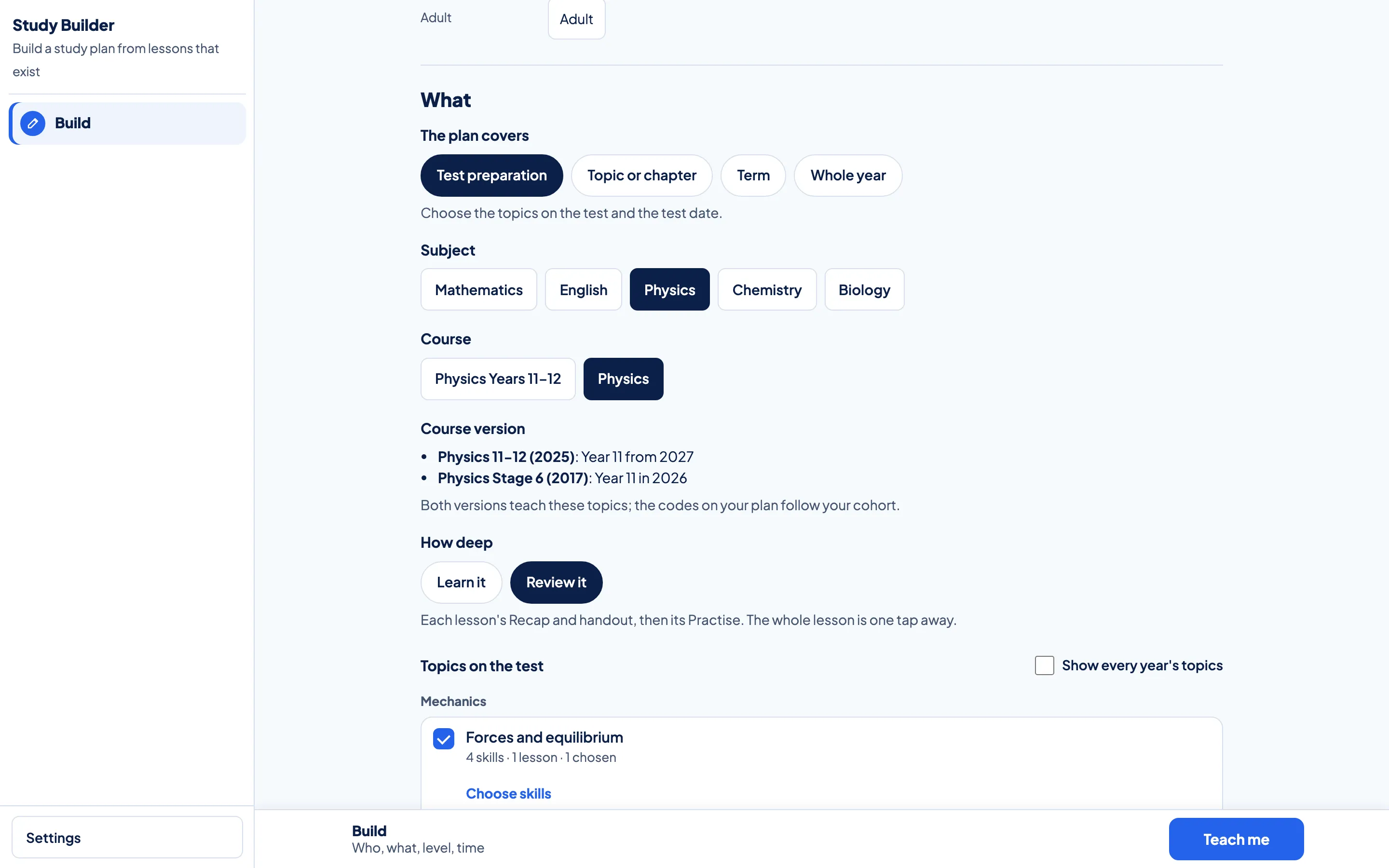
Build.
Choose test preparation, a topic, a term or a whole year, then the subject, the course and how deep to go.
Plan.
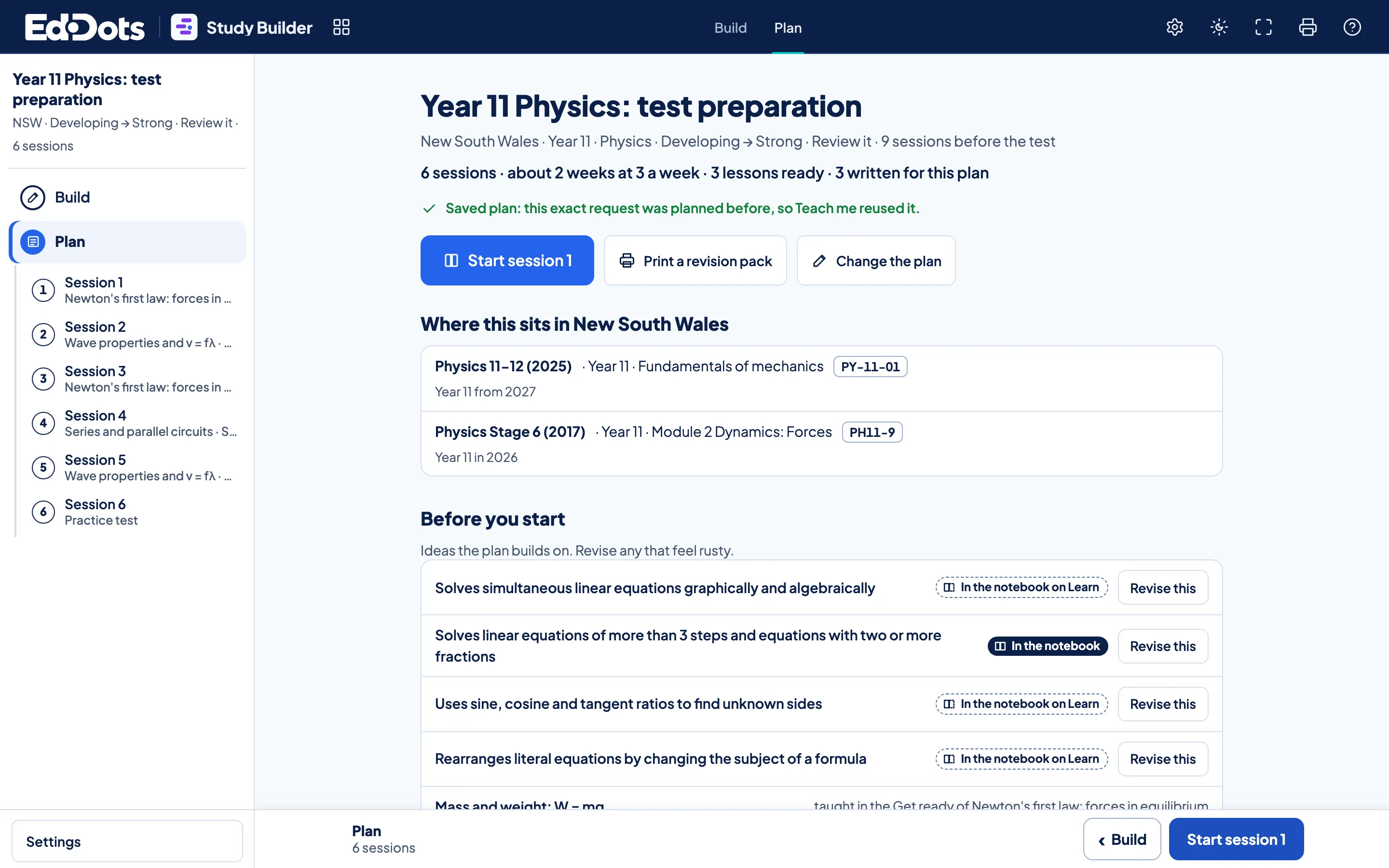
Teach me sets out sessions in the order the ideas build, with the ideas to revise first and a practice test at the end.
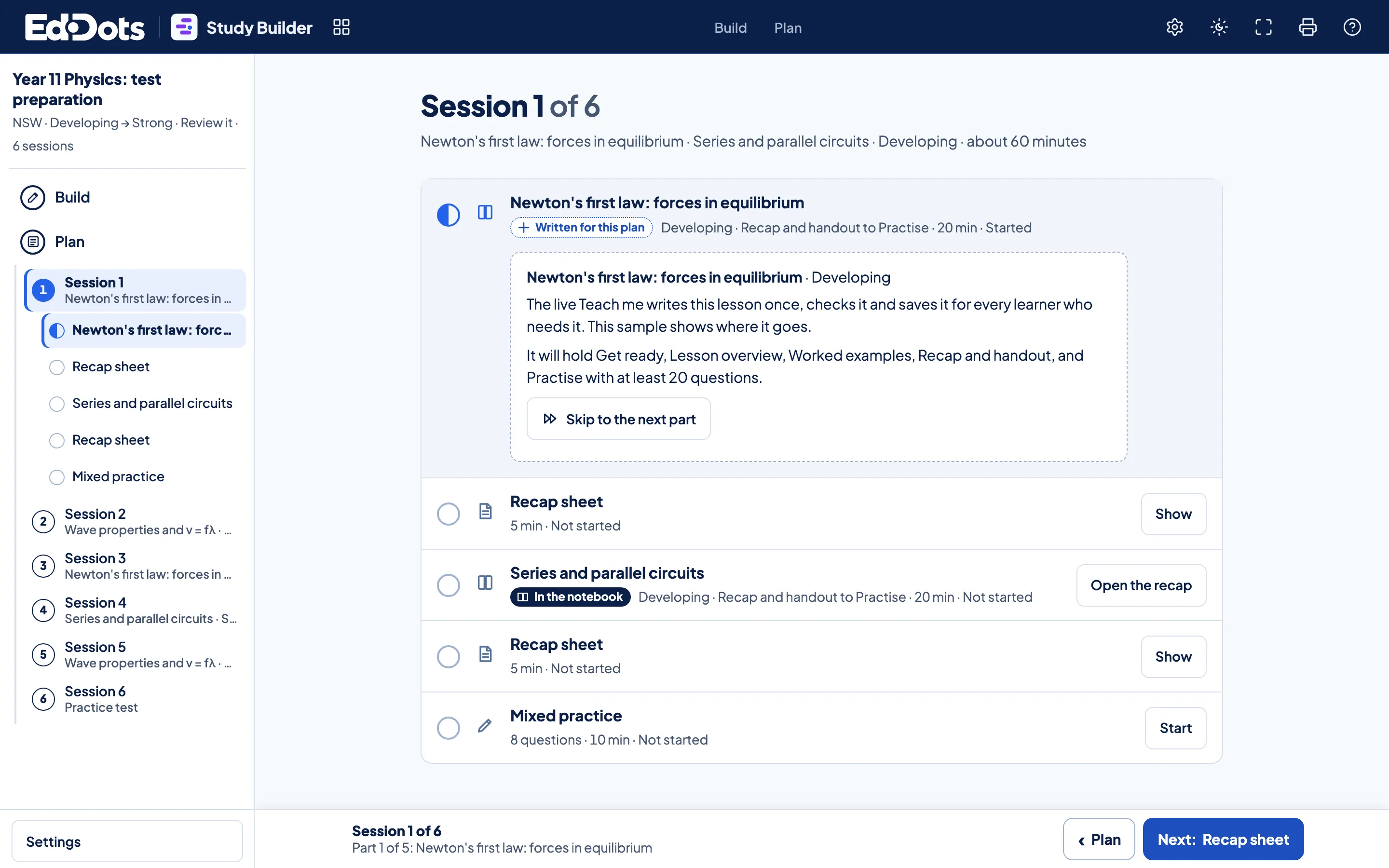
Session.
Each session opens its lessons part by part and marks every part Not started, Started or Done.
In every plan.
Any size of goal
Test preparation, one topic, a term or a whole year.
The levels you choose
Any range from Starting to Exceeding, set before you press Teach me.
In the order ideas build
Sessions follow the Learning Map, so each lesson rests on the last.
Ideas to revise first
The concepts a plan builds on, each with Revise this beside it.
Gaps filled and labelled
A lesson written by AI to fill a gap says so on the lesson.
A revision pack
Recap sheets and practice for the whole plan, ready to print.



Questions about Study Builder.
Which plans include Study Builder?
All of them. Study Builder plans in every subject your plan opens, as often as you change your goal.
Can I change a plan?
Yes. Change the scope, the subject or the levels and press Teach me again. A request you made before opens its saved plan straight away.
What is in a revision pack?
The recap sheet and practice of each lesson in the plan, in session order, ready to print in colour or black and white.
Where does a lesson written for a plan come from?
Teach me writes it with AI when the Notebook holds no lesson for that step, checks it against the lesson method and labels it Written for this plan.