
Set a task. Share a code.
Create with confidence. Teach with purpose.
Tests, assignments and interactive lessons with a timer, a rubric and question pools.
Helps educators plan, create, adapt, share and assess curriculum-aligned learning, with their own judgement in charge.
Class Studio drafts new questions with AI, and you check every one before you share a code.
EdDots Class Studio

The educator’s curriculum and resource studio
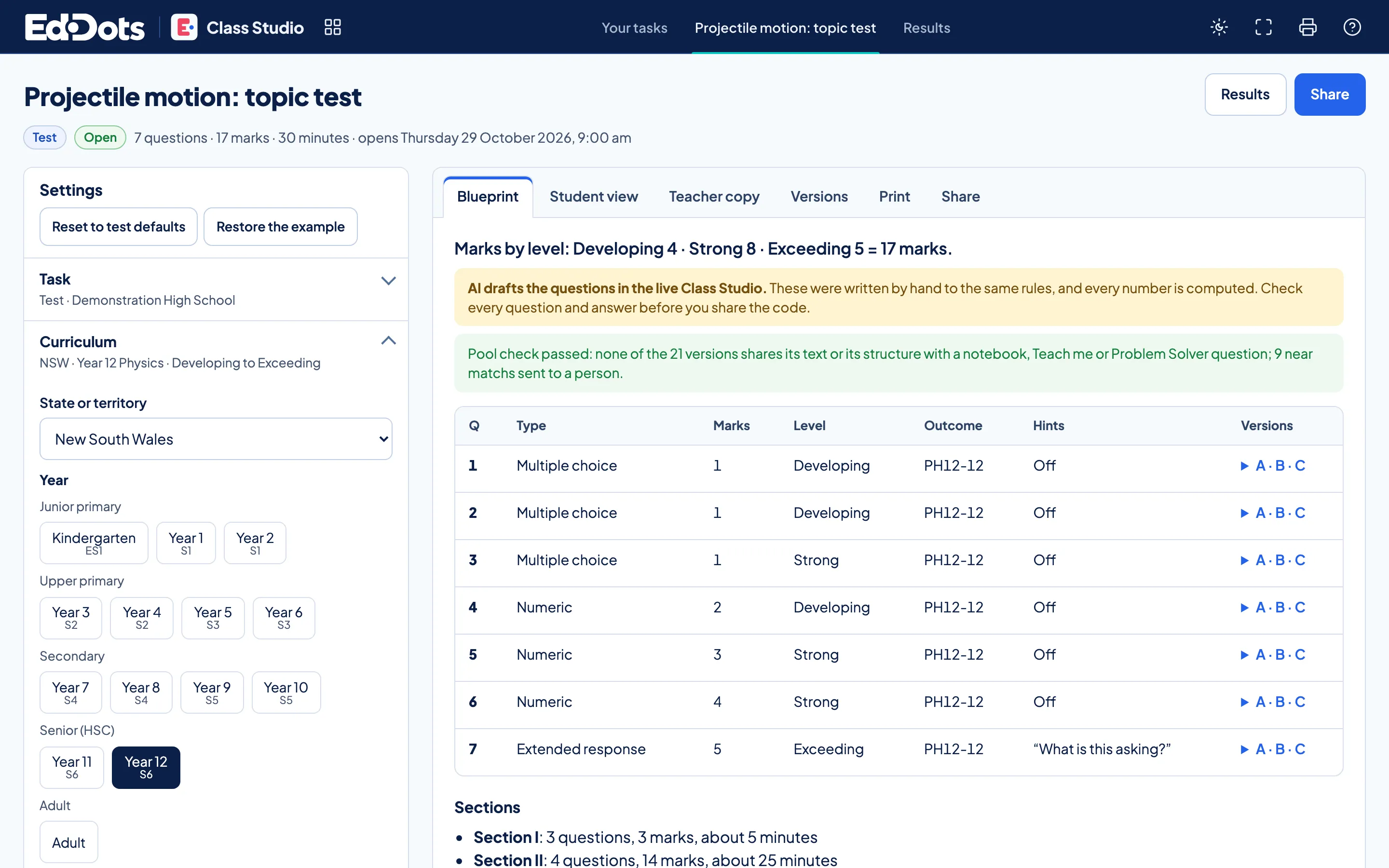
One task, from blueprint to results.
Build it, share it, then read it seat by seat.
The blueprint.
Pick the state, the year and the levels. Every question gets its marks, its outcome and three versions.
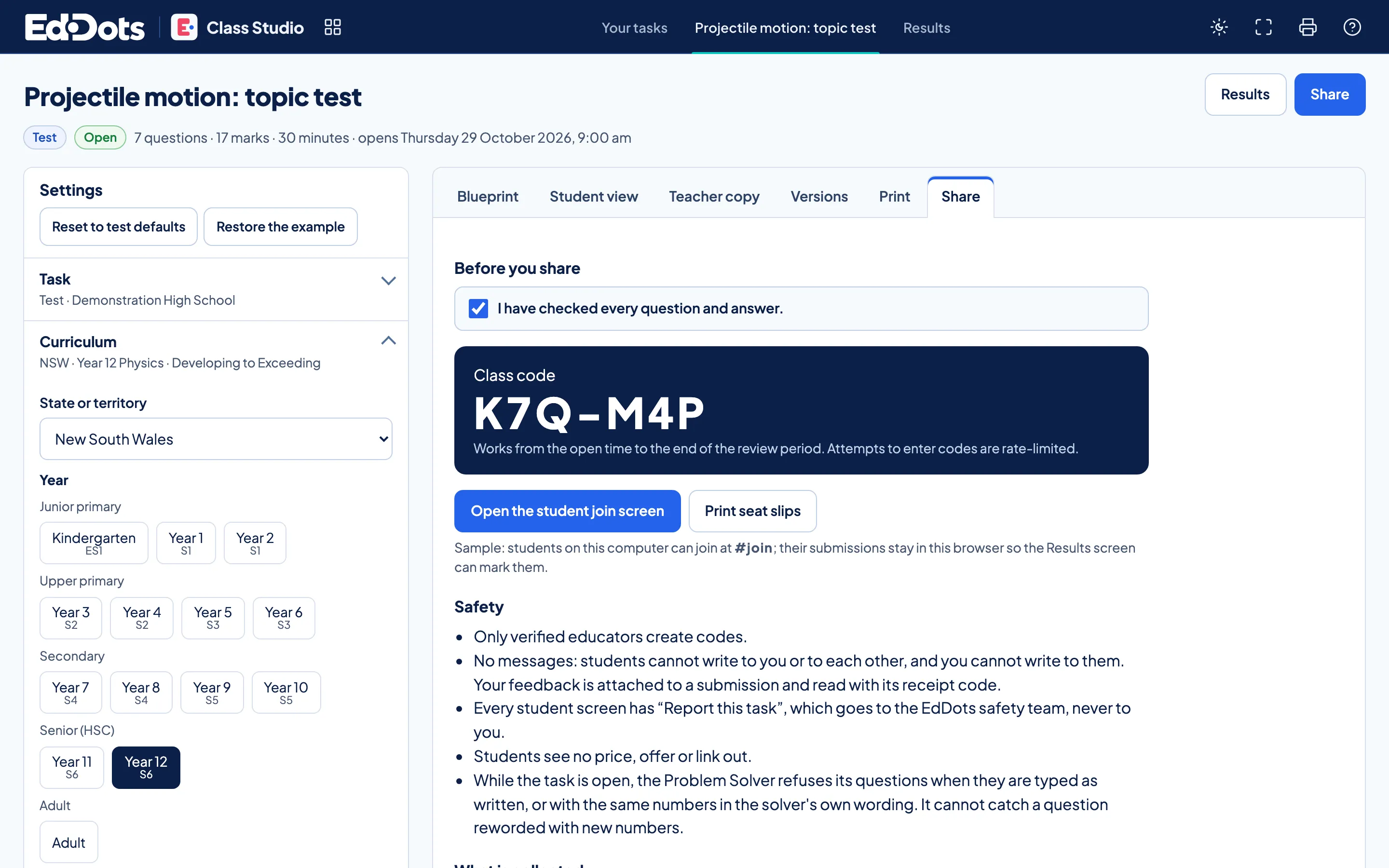
One code.
Tick that you checked every question, then share the class code. It opens and closes with your window.
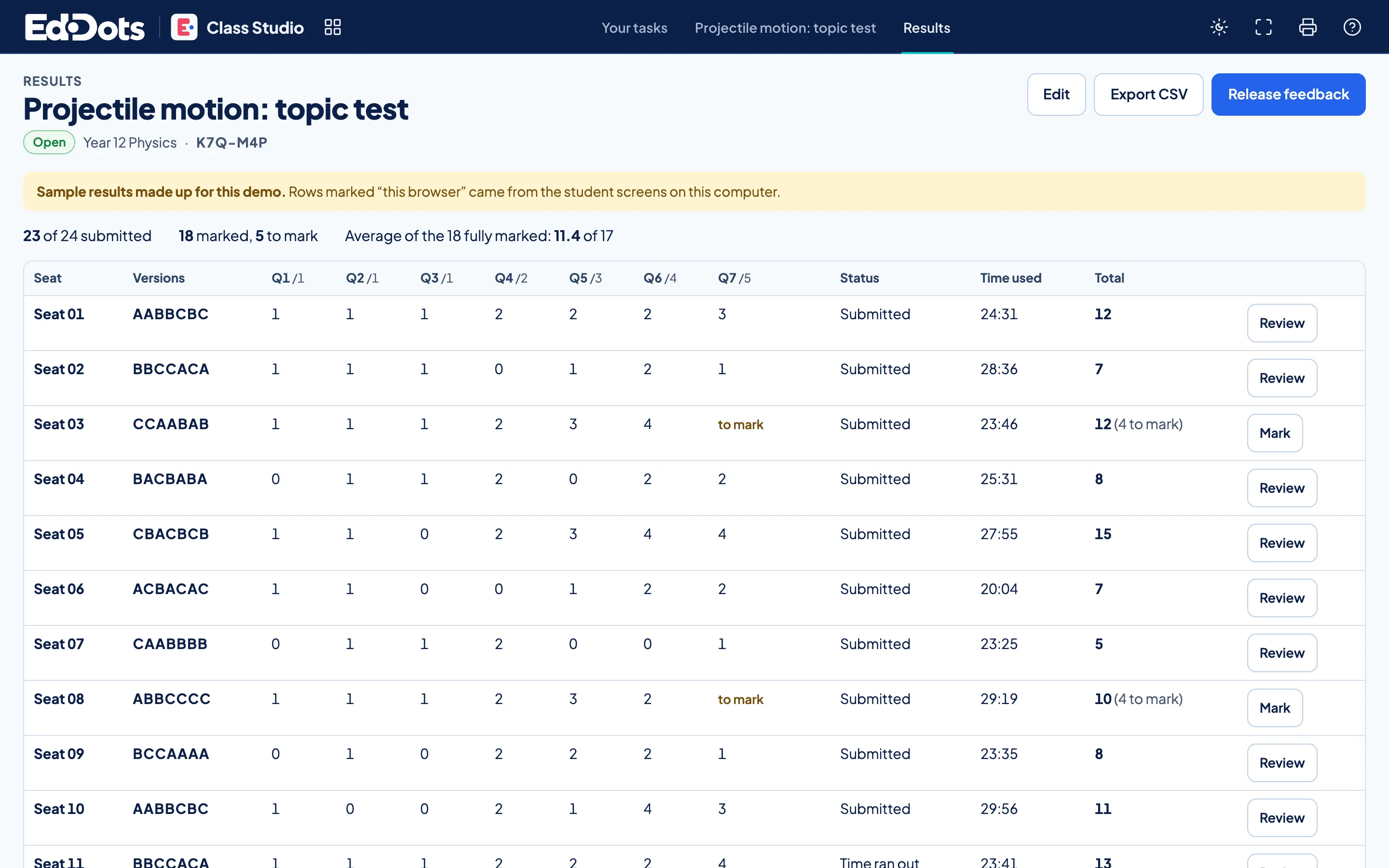
Seat by seat.
Marks land per seat as students submit. Extended responses wait for your marking, then feedback goes out together.
In every task.
Four kinds of task
Tests, assignment tasks, interactive lessons and lesson materials.
Question pools
Three versions of each question for neighbouring seats.
A timer and a window
A countdown and an opening time for each class.
Papers to print
The task notice, the paper, a teacher copy and marking guidelines.
No student accounts
A code and a seat number are all a student needs.
Student screens stay clean
The task, its timer and Report this task. No price, offer or link out.




Questions about Class Studio.
Can I edit every question?
Yes. Change any question, answer or rubric line before you share. A class code exists only once you tick that you have checked every one.
Do test questions appear anywhere else?
No. Assessment questions sit in their own pool and never appear in Notebook practice, Study Builder or the Problem Solver.
How do I see who sat which version?
Results list every seat with the version of each question it drew, its marks and its time, ready to export.