
Your problem, solved step by step.
See the solution. Understand the reasoning.
Show the first step or the whole solution, then see the lessons behind it. The Problem Solver is AI.
Shows the solution first, then the reasoning behind each step and the concepts it applies.
A parent or guardian turns it on for each learner under 18, from Year 3.
EdDots Problem SolverAI

The guided reasoning companion
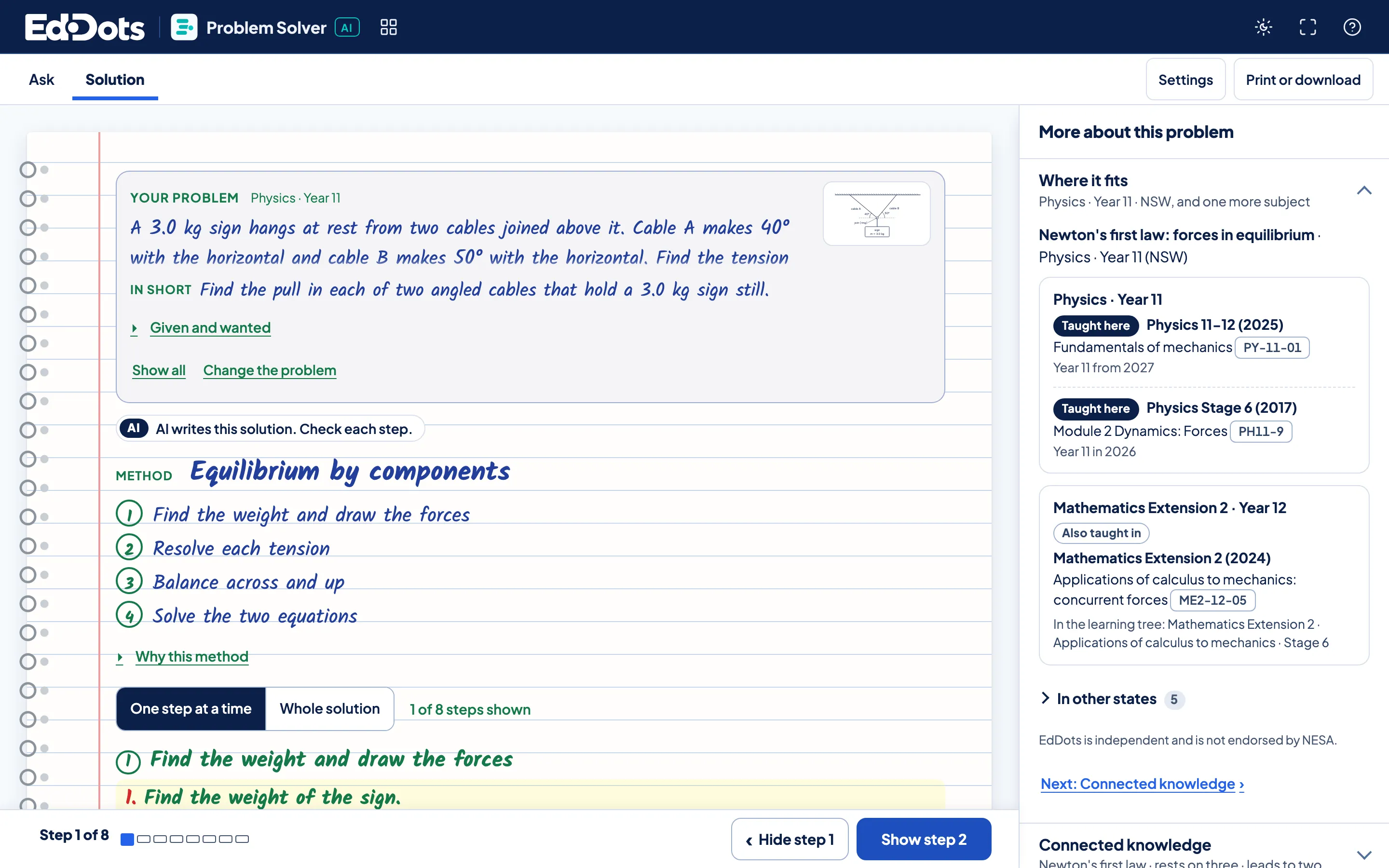
One problem, start to finish.
Ask it, solve it, then see where it fits.
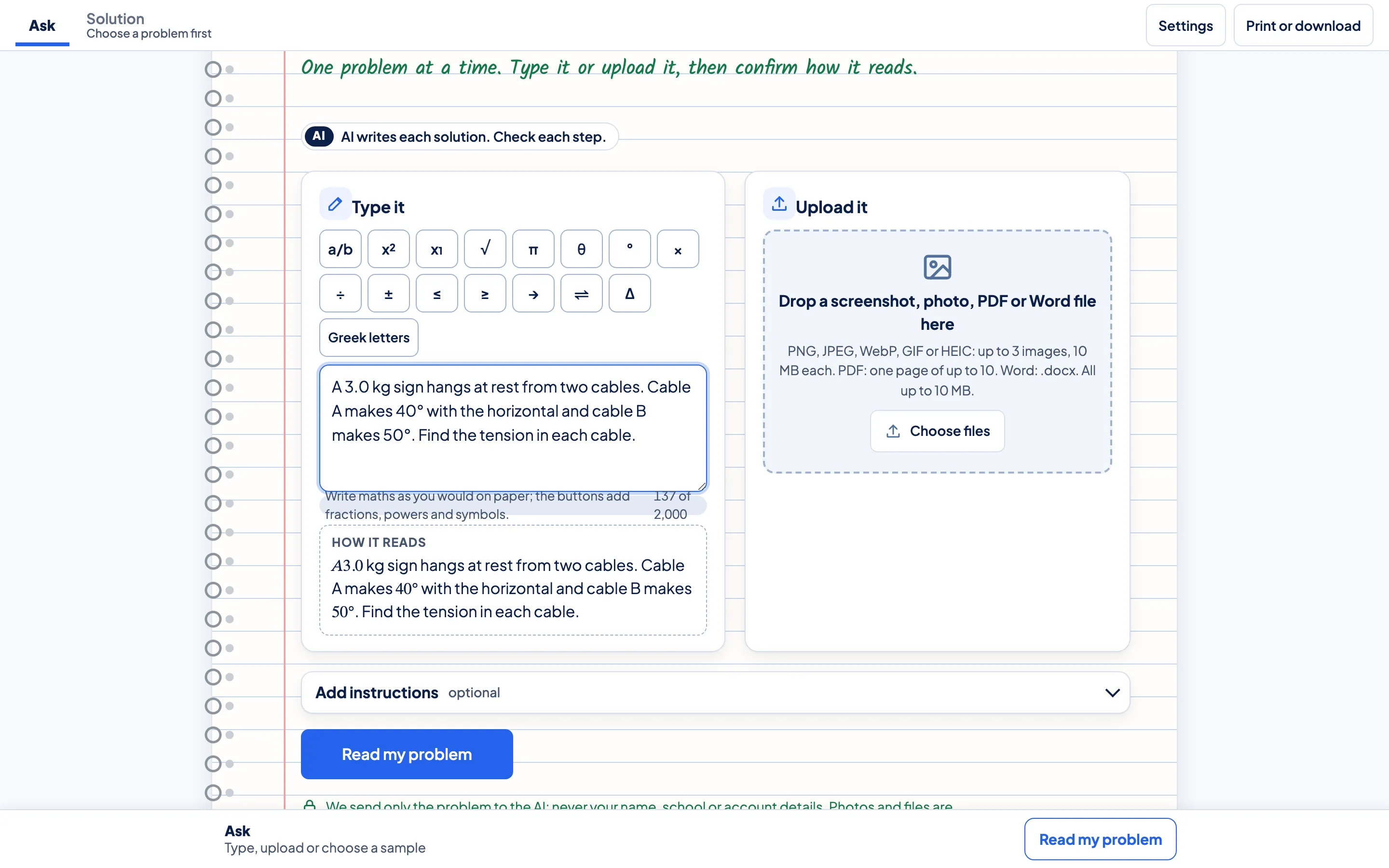
Ask.
Type it with the maths keys, or upload a photo, a PDF page or a Word file. Check how it reads, then solve.
The first step.
The method comes first, as numbered moves. Then one step at a time, each with what it does.
Where it fits.
The side panel places the concept in your course, then what it rests on, where it leads and its lessons.
In every solution.
Any way in
Type it, or upload a photo, a PDF page or a Word file.
The method, named
Numbered moves first, then the working, step by step.
Where it fits
The concept in your year and in other courses.
Figures from your numbers
Diagrams, plots and simulations drawn from the problem itself.
Try these
Three more problems that use the same move.
A sheet to keep
A solution sheet, a revision card or practice to print.



Questions about the Problem Solver.
How many problems can a learner bring?
A plan includes 5 solutions to try for each learner. The add-on gives 10 a month, and any left over roll into the next month.
What happens to an uploaded photo?
The AI gets the problem without your name, school or account details. Crop a photo to just the problem before you upload it.
What if a step looks wrong?
Press Report this solution. Each step names its move and links the lesson that teaches it, so the working can be checked against the method.
Can a learner see the whole solution?
Yes. Choose Whole solution, or reveal one step at a time and try the next move before you look.